
Lightleap by Lightricks
Lightricks Ltd.Photography
4.01.96K Reviews
- Version
- 1.6.1
- Installs
- 10.00M
- Age Rating
- Everyone
Screenshots
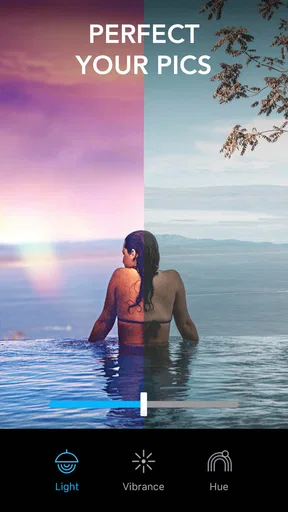
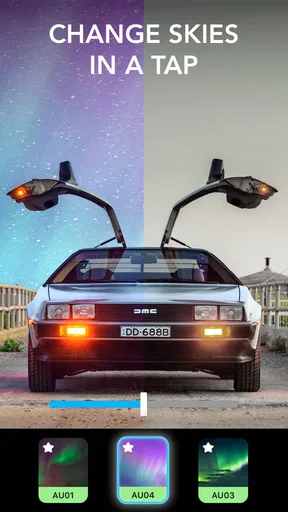
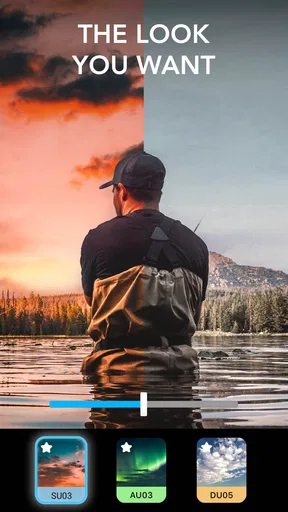
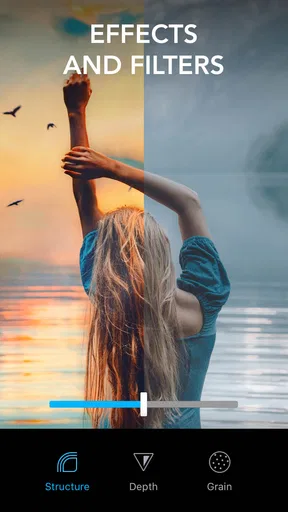
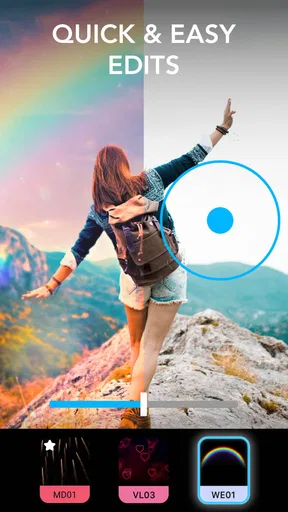
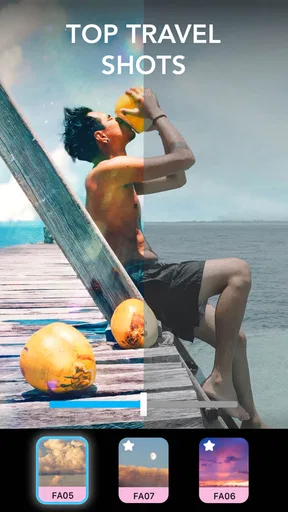
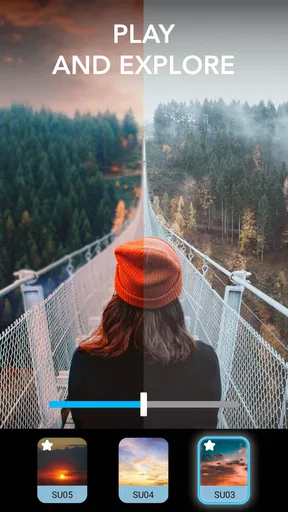
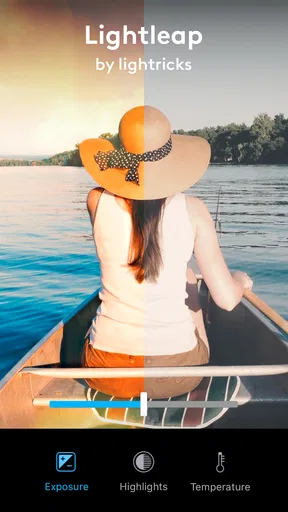
Our Review of Lightleap by Lightricks
 Analysis by Appyee
I first noticed Lightleap in the kind of situation where a quick photo editor makes the most sense: several people sharing pictures from the same household, with everyone wanting a slightly different result. One person may want a brighter travel photo, another may prefer a soft blur behind a subject, while someone else simply wants to make a dull indoor shot look more lively before sending it. Lightleap, a photography app from Lightricks Ltd., is built around that fast, visual approach rather than a complicated professional workflow.
My overall impression is that it sits between a one-tap filter app and a full editing suite. It gives me more control than a basic social-media editor, especially when I want to retouch, sharpen, blur, or add a gradient, but it does not feel like a desktop-style program squeezed onto a phone. That balance is its main appeal. It is free to install, rated for Everyone, and its current version is 1.6.1, making it easy to consider for casual personal use or a shared family device.
How Lightleap works when several people use the same phone
On a shared device, the most useful quality is not just the number of effects. It is how quickly each person can open the app, choose a photo, make a change, and leave the result ready for the next user. Lightleap is well suited to that handoff because its tools are visually understandable. A child or less experienced editor can start with a preset, while a more confident user can move into adjustments such as sharpening, blurring, or gradients without needing to learn a large professional interface first.
A realistic household example would be preparing photos from a weekend outing. I might use a preset to give a cloudy outdoor picture more atmosphere, soften a distracting background, and sharpen a face that looks slightly soft. Another family member could then open a different image and use a completely different visual style. The app supports that kind of quick rotation better than a heavyweight editor that requires a long setup before every small change.
The important distinction is that Lightleap is aimed at improving the mood and presentation of an image, not replacing a dedicated photo-management system. I would use it after choosing a picture from the phone, then save or share the finished version through the normal device workflow. I would not treat it as the central place for organizing a household’s entire photo library. Its strength is the edit itself.
That makes it particularly handy for shared moments: a birthday picture that needs a little brightness, a pet photo where the subject should stand out, or a landscape that benefits from a more deliberate sky treatment. The app encourages experimentation without making every edit feel like a technical project. I can try a look, compare it with the original, and decide whether the change actually helps.
There is also a useful social boundary here. One person can create a polished version of a picture without changing the original image in the camera roll, as long as they follow the usual save-as-edited-copy habit. I recommend agreeing on that simple routine in a shared household: keep originals untouched, save edited versions separately, and avoid repeatedly overwriting the same file. That is not a special Lightleap feature; it is a sensible way to prevent confusion when several people use one phone.
What the first editing session feels like
The first session is approachable because the main idea is immediately clear: select an image, choose an effect or adjustment, and judge the result on the screen. The store summary mentions retouching, sharpening, blurring, gradients, instant presets, filters, and effects, and those tools describe the app’s practical range well. I found the experience most enjoyable when I started with a restrained change rather than stacking every available effect.
For example, sharpening can rescue a picture that looks a little flat, but it can also make skin texture and compression artifacts more obvious. Blur can help separate a subject from a messy background, but too much blur makes the image look artificial. Gradients are useful for directing attention or changing the feel of a sky, yet they need a light touch if the result is to remain believable. These trade-offs matter more than simply having a large collection of visual options.
My advice is to make one meaningful adjustment at a time. I usually begin with the image’s biggest problem, such as weak subject separation or a distracting background. Only after that do I consider a preset or additional effect. This workflow produces more natural results and makes it easier to understand which change improved the photo.
Instant presets are convenient when I need a finished look quickly, especially for a group of pictures with a similar mood. Still, a preset that works on an outdoor portrait may be a poor match for an indoor snapshot under warm lighting. I would not apply one automatically to every image in a household album. The better approach is to use presets as starting points, then reduce or balance the effect when the image begins to look overprocessed.
Boundaries that matter on a shared device
Lightleap is free to download, but in-app purchases range from $0.19 to $79.99 per item. That is the detail I would discuss before letting younger family members use it independently. A free installation does not mean every creative option necessarily follows the same payment path, so the person responsible for the device should understand how purchases are handled before handing over the phone or tablet.
I would also establish a simple rule about whose photos may be edited. On a personal device, that may seem unnecessary, but shared use changes the situation. A family member might open a portrait, apply a dramatic effect, and save a version that another person did not want circulated. The app can be enjoyable for collaborative editing, but consent still matters. I prefer asking before altering someone else’s portrait, especially when the edited image might be shared outside the household.
Another useful boundary is separating playful experimentation from final copies. Lightleap invites trying different filters and effects, which is part of its fun. However, a shared phone can quickly collect several versions with unclear names or destinations. I recommend deciding whether an image is a test, a personal edit, or the version intended for sharing. That small habit keeps the camera roll easier to understand.
For a household with limited storage or a carefully managed photo archive, I would pay attention to how many edited copies are being kept. The app is designed for visual creation, so it is easy to make multiple variations and forget about them. I would periodically remove failed experiments while keeping the original and the chosen final version. This is one of the less obvious practical issues with any fast creative editor, and it becomes more noticeable when several people use the same device.
Coordinating different editing styles
Shared use works best when everyone accepts that the app is not trying to produce one universal “correct” look. One person may prefer natural color and gentle sharpening, while another enjoys strong gradients and expressive effects. Lightleap accommodates both approaches, but the results can look inconsistent if a household is preparing a group of images for the same album or event.
When I want a consistent set, I choose one reference photo first. I decide how bright, warm, soft, or dramatic that image should feel, then use it as a visual guide for the others. I do not expect an instant preset to solve every mismatch because lighting conditions vary from photo to photo. A portrait taken indoors may need a different intensity from a landscape taken outside, even when I want both images to belong together.
This is where Lightleap compares favorably with the usual quick social editor. It gives me more room to correct individual problems instead of forcing every photo into the same broad style. On the other hand, a dedicated batch-editing or professional photo application may be better for someone who needs exact consistency across a large collection. Lightleap feels more comfortable for selecting and polishing individual images than for managing a formal production workflow.
For coordination between adults and children, I would keep the goal simple. Let a younger user choose the general mood, then have an adult check whether faces remain natural and whether the final image is appropriate to share. This turns the app into a creative activity without assuming that every effect is suitable for every audience. Because the app is rated Everyone, it is broadly accessible, but an age rating does not replace household guidance about privacy, image sharing, or purchases.
There is also a practical communication benefit to using the same editor. If one person discovers that a subtle blur works well for portraits, they can show the others the approach directly on the device. That is easier than explaining a complicated chain of tools in a more advanced program. Lightleap’s visual nature makes it a reasonable choice for families who want to share editing ideas rather than keep the process entirely individual.
Age, trust, and creative responsibility
The Everyone rating makes Lightleap approachable for a broad household audience, but I would still separate technical accessibility from trust. The app may be simple enough for a younger user to explore, yet photos can contain personal information, recognizable faces, home interiors, school details, or locations. The most important lesson is not how to add an effect; it is knowing which pictures should remain private and which are suitable for sharing.
I would teach a child to ask three questions before exporting an edited image: Is everyone in the picture comfortable with it? Does the image reveal anything private? Is the effect being used to have fun, or could it embarrass someone? Those questions are especially relevant when retouching and dramatic effects are available. A playful edit can be harmless among family members but uncomfortable if sent to a wider group without permission.
Trust also includes respecting the original image. Retouching can be useful for removing a small distraction or improving presentation, but it can become misleading when used to change someone’s appearance heavily. I prefer using the tools to support the photo rather than erase everything distinctive about the person in it. That judgment is more important than whether the app has a particular filter collection.
For adults, the purchase range deserves a calm conversation rather than an assumption that everything is included. If a child uses the device, I would make sure they know which actions are allowed and whether an adult must approve a purchase. I would also avoid presenting paid options as a problem in themselves; some users may find a particular effect worth buying, while others will be satisfied with the free experience. The key is knowing the boundary before experimenting.
Lightleap is less suitable for someone who wants strict user separation on one device. I would not assume that it provides household profiles, child accounts, private workspaces, or family-specific controls. If several people need clearly separated libraries and settings, a device-level account arrangement or a different workflow may be more appropriate. This is not a criticism of its editing tools; it is a reminder that a creative app and a family account system solve different problems.
Where it beats familiar alternatives—and where it does not
Compared with the basic editor built into a phone’s photo gallery, Lightleap offers a more expressive starting point. The built-in editor is often better for quick crops, rotations, and straightforward corrections, while Lightleap is more interesting when I want a mood, a selective blur, a gradient, or a noticeable visual transformation. If the image only needs a small exposure correction, opening a separate editor may be unnecessary.
Compared with social-media editing tools, Lightleap feels more focused on preparing the image before it reaches a platform. That gives me more control over the creative direction and avoids making the social network itself the center of the process. The trade-off is that I may need an extra step to save the result and then share it elsewhere. For someone who wants to edit directly inside a posting screen, the usual social app may feel faster.
Compared with advanced editors, Lightleap is easier to approach but less suitable for meticulous work. I would choose a professional tool when I need precise masking, detailed color management, extensive layer control, or a repeatable studio workflow. Lightleap is the better choice when I want a strong result without spending a long time learning technical controls. Its value is not maximum depth; it is the combination of speed and visual character.
That middle position explains both its appeal and its limitation. Beginners can get satisfying results quickly, but experienced photographers may reach its limits when they want exact control. Casual users should not be put off by that limitation, because the app is not trying to replace every other tool. They should simply choose it for the tasks it handles well: making individual photos more polished, atmospheric, or distinctive.
Small techniques that improve the results
My first practical tip is to inspect the image at a normal viewing size before deciding that it needs more intensity. Effects can look exciting while zoomed in on a phone, then appear harsh when viewed as a complete picture. I often reduce the strength of a dramatic treatment after seeing the whole frame. This is particularly important with sharpening, where excess detail can make an image feel brittle.
My second tip is to use blur with a clear subject in mind. Instead of blurring the entire background equally, I think about what the viewer should notice first. A portrait may benefit from a softer area behind the face, while a group photo can become confusing if too much of the scene loses definition. The goal is not simply “more blur”; it is a clearer visual hierarchy.
My third tip is to treat gradients as lighting tools rather than decorations. A subtle gradient can give a flat sky more direction or balance a bright area near the edge of the frame. I avoid using one to cover a fundamental exposure problem because it can make the image look uneven. When the gradient is doing too much work, I return to a simpler edit.
A fourth useful habit is comparing the edited version with the original before saving. I look for three things: whether the main subject is clearer, whether skin tones remain believable, and whether the effect supports the story of the image. If the answer to all three is yes, the edit is probably helping. If the image only looks “different,” I undo part of the treatment.
These techniques make Lightleap more rewarding than a sequence of random filter taps. The app gives me quick creative options, but good results still come from deciding what the picture needs. That is also why it works well in a shared household: users with different skill levels can start at different points, while the basic principles remain easy to explain.
Who should install it
I would recommend Lightleap to someone who regularly takes phone photos and wants more personality than the standard gallery editor provides. It is a good fit for portraits, travel pictures, pet photos, casual food shots, and images that need a quick visual lift before being sent to friends. It also suits households that enjoy experimenting together, provided everyone agrees on photo privacy and purchase boundaries.
The app has attracted over 10 million installs, with an average rating of 4.0 from around 67 thousand ratings and around 2 thousand written reviews. Those figures suggest a substantial audience and a generally positive reception, while the rating also leaves room for individual preferences and frustrations. I would read that as a reason to try it for your own editing style rather than assuming it will satisfy every photographer.
I would skip it if my main need were professional color correction, large-scale photo organization, or strict separation between multiple users. I would also choose a simpler built-in editor for images that only need cropping or a minor brightness change. Lightleap earns its place when the visual mood matters and I want more creative control than the default tools provide.
Because it is free to install and supports devices running Android 8.0 or later, it is easy to test without committing immediately. The free starting point is useful for discovering whether the editing style suits you, while the in-app purchase range means I would review any paid choice carefully before confirming it. For a shared device, that decision should belong to the device owner, not to whoever happens to be exploring the effects.
My household verdict
After using Lightleap as a quick creative editor, I see it as a friendly middle ground: more expressive than a phone’s basic photo tools, but less demanding than a professional suite. Its retouching, sharpening, blur, gradients, presets, filters, and effects give each household member room to develop a personal style without turning every edit into a lesson in photography software.
Its biggest strength is the speed with which an ordinary image can become more intentional. Its main weakness is that shared-device needs—separate identities, private libraries, and purchase supervision—belong to the surrounding device and household rules rather than to the editing experience itself. I would install it confidently for collaborative, casual photo work, but I would pair it with clear agreements about originals, consent, sharing, and paid content.
In the end, I recommend Lightleap when you want to make a photo feel more finished or more distinctive in a few minutes. I would not present it as the only editor a family needs. Instead, I would keep the phone’s standard tools for basic corrections, use Lightleap when atmosphere and creative effects are important, and turn to a deeper editor only when precision becomes the priority. That division of responsibilities makes the app easier to enjoy and helps every person using the device get the result they actually want.
Verdict
Strengths of Lightleap by Lightricks
- Simple tools make quick edits accessible to beginners.
- Selective adjustments help highlight specific areas of a photo.
- Light effects can add atmosphere without complex editing skills.
- Presets speed up editing when you need consistent results.
- Edited images can be saved and shared directly from the app.
Limitations of Lightleap by Lightricks
- Many advanced effects and tools require a paid subscription.
- Some edits may look artificial if effects are applied too heavily.
- High-resolution projects can use considerable storage space.
- The app may feel limited for users wanting full manual controls.
- Export options and premium features can vary by subscription plan.
Other Releases by Lightricks Ltd.
View All
Motionleap by Lightricks
Photography4.0

Facetune: Hair, Photo Editor
Photography4.4

Videoleap: AI Video Editor
Video Players & Editors4.5

Boosted Ad Maker by Lightricks
Video Players & Editors4.3
Similar Picks in This Category
View All
Google Photos
Google LLC4.4

Gallery
Google LLC4.2

Picsart AI Photo Editor, Video
PicsArt, Inc.3.9

B612 AI Photo&Video Editor
SNOW Corporation4.1

BeautyPlus-Selfie Photo Editor
PIXOCIAL TECHNOLOGY (SINGAPORE) PTE. LTD.4.5

Remini - AI Photo Enhancer
Bending Spoons4.1
Frequently Asked Questions
What is Lightleap by Lightricks used for?
Lightleap is a photo-editing app designed to enhance ordinary pictures with creative lighting, atmospheric effects, overlays, filters, and sky replacements. It is especially useful for improving travel photos, landscapes, portraits, and social media images. The app combines quick one-tap adjustments with more detailed editing tools, allowing beginners to create attractive results without needing advanced photography or design experience.
Is Lightleap free to download and use?
Lightleap can generally be downloaded for free on supported Android and iOS devices, but not every feature or editing asset is available without payment. Some filters, effects, skies, adjustment tools, and export options may be included in a premium subscription or require an in-app purchase. Before confirming a trial or subscription, review the displayed pricing, renewal terms, and cancellation instructions in your app store.
Does Lightleap require an internet connection?
An internet connection may be needed when downloading the app, accessing cloud-based content, loading premium effects, completing updates, or using certain online features. Basic editing with assets already available on your device may work offline, although the exact experience can vary by version and platform. If you plan to edit while traveling, it is sensible to download required effects and confirm offline access beforehand.
Can Lightleap replace skies and add realistic effects to photos?
Yes, one of Lightleap’s notable features is its collection of sky replacements and atmospheric overlays. These tools can transform a dull or overcast image by adding sunsets, clouds, stars, light leaks, and other visual elements. The final result depends on the original photo and your adjustments, so blending, opacity, positioning, and color controls may be necessary to make the effect look natural rather than obviously edited.
Is Lightleap suitable for beginners, and can edited photos be shared easily?
Lightleap is suitable for beginners because its interface focuses on visual previews, presets, and straightforward controls rather than complicated professional workflows. You can usually combine filters, effects, overlays, and manual adjustments before saving the finished image or sharing it through supported apps. However, premium assets, export limitations, device storage, and the app’s current permissions should be checked before relying on it for regular content creation.
